Patchbot
Patchbot is an open-source vulnerability scanner that fixes what it finds. It inventories your dependencies, matches them against OSV.dev or your own threat feed, takes findings from any scanner, and opens a pull request per vulnerable package - bumping the version when that is enough and handing the failure to a coding agent when it is not.
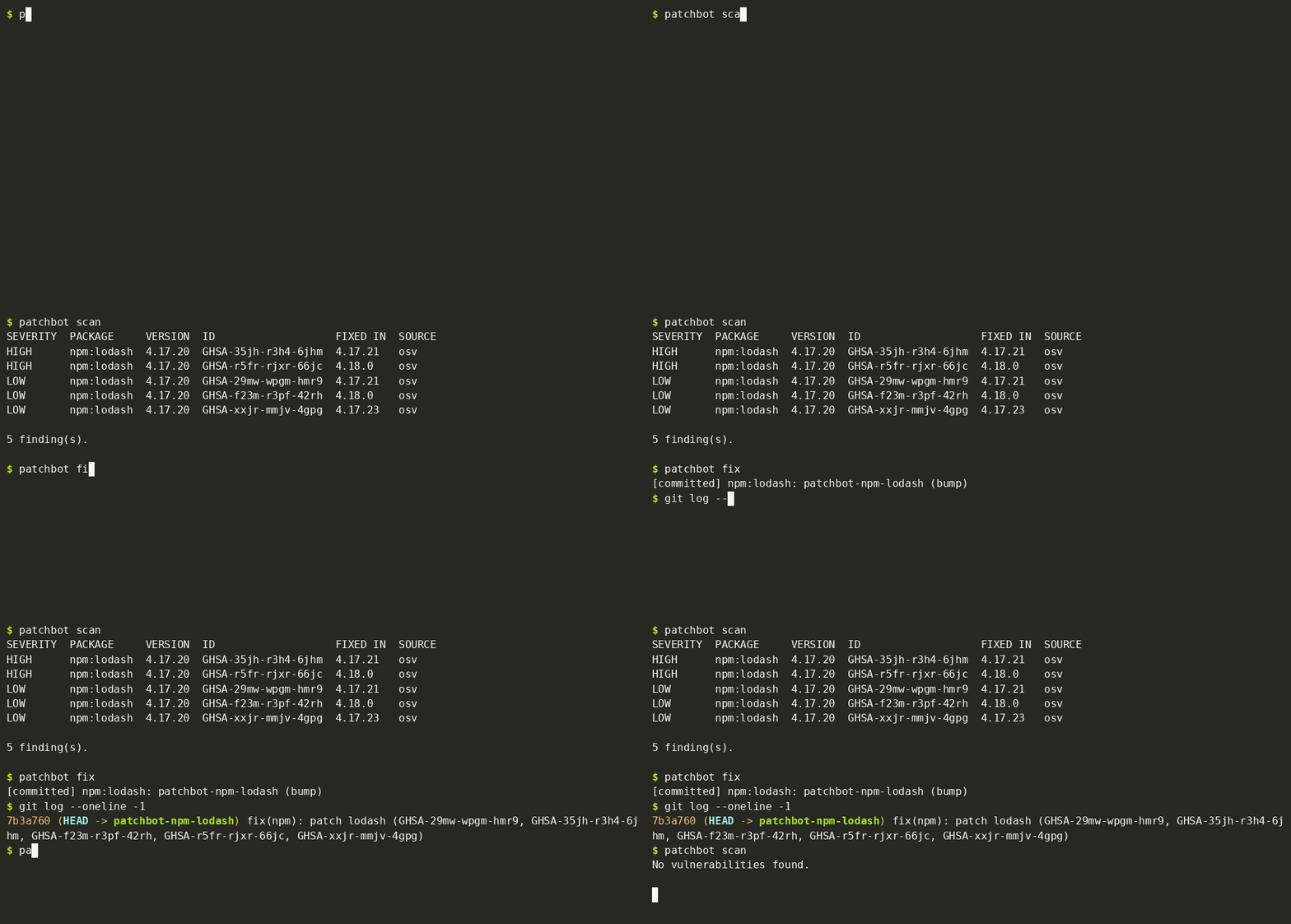
How it works
Every run builds one inventory, matches it against your feeds and scanners, and deduplicates the findings. From there it either prints a report (table, JSON or SARIF) or runs the fix loop.
Inventory


Reads npm, pnpm and yarn lockfiles, requirements*.txt, pyproject.toml, go.mod and Cargo.toml. Anything else comes in as a CycloneDX SBOM.
Feeds
OSV.dev is on by default. Add a private feed by serving OSV-schema JSON from a file or URL.
Scanners

Wrappers for trivy, grype and osv-scanner, plus a command scanner for any tool that prints SARIF, Trivy, Grype or osv-scanner JSON.
Fix


Bump, verify, escalate to an agent if the build breaks, verify again, then open the PR with the advisory table in its body.
The fix loop works one branch per vulnerable package. It rewrites the pin to the lowest version that clears every advisory and regenerates the lockfile with the ecosystem's own tool - no model call. It then re-scans, runs your test_cmd, and rejects any diff that reaches outside the dependency surface. Only if that fails does it brief the agent with the failure itself, and it verifies again before it commits. --agent none keeps it bump-only.
Install
Requires Python 3.11 or newer.
pip install patchbot            # scan + bump-only fixes
pip install "patchbot[api]"     # + Anthropic-backed agent tiers (api, managed)
pip install "patchbot[openai]"  # + OpenAI Agents API tier (openai)
Quick start
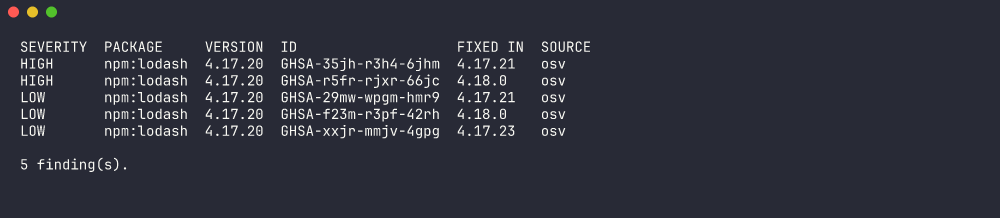
patchbot scan                    # inventory -> OSV.dev -> table report
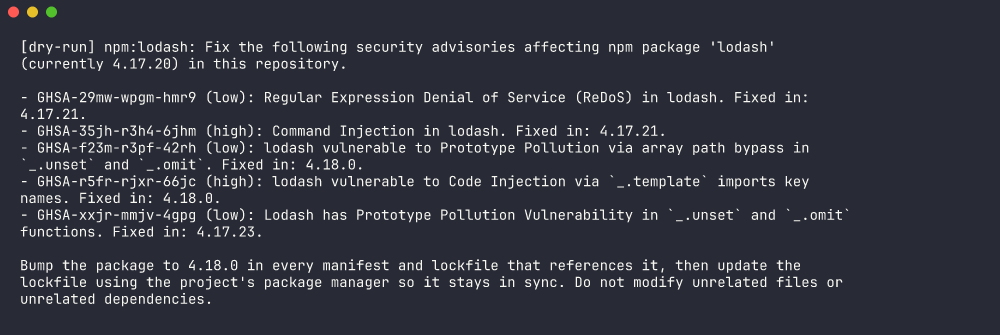
patchbot fix --dry-run           # preview the fix plan, change nothing
patchbot fix --pr                # bump or fix, verify, open one PR per package
scan exits 1 when any finding meets --fail-on (default high), so it can gate a build on its own.
A dry run shows the plan - which pin moves where - before anything is written:
Configure it
Put patchbot.toml in the repository root. CLI flags override the file. Every section is optional; with no file at all you get OSV.dev and a bump-only fix loop.
[inventory]
paths = ["."]
# sbom = "sbom.cdx.json"        # CycloneDX, for full Python / Go / Rust trees

[feeds.osv]
enabled = true

[feeds.internal]                # your own threat feed
type = "url"                    # or "file" with path = "..."
url  = "https://intel.example.com/advisories.json"

[scanners.trivy]
enabled = true

[scanners.custom]               # your own scanner
type   = "command"
cmd    = "./scan.sh"
format = "sarif"                # sarif | trivy | grype | osv-scanner

[report]
fail_on = "high"                # critical | high | medium | low | none
ignore  = ["GHSA-xxxx-xxxx-xxxx"]

[fix]
agent    = "claude"             # claude | codex | api | openai | command | managed | none
max_prs  = 5
test_cmd = "npm test"
patchbot plugins lists every feed, scanner and agent it can see, including ones your own packages register through entry points.

Choose an agent backend
The agent only runs when a bump breaks the build. Pick where it runs with [fix] agent or --agent.
| Backend | Runs where | Needs | Use it for |
|---|---|---|---|
claude / codex | Your machine or runner, through the CLI on PATH | The CLI, logged in | Local development |
 api | Your runner, in process | patchbot[api], ANTHROPIC_API_KEY | CI without Node |
openai | Your runner, in process | patchbot[openai], OPENAI_API_KEY | CI without Node, on OpenAI models |
 command | Wherever your tool runs | Any agent that takes a prompt (aider, opencode, ...) | Other models |
 managed | Anthropic's sandbox, off your runner | patchbot managed init once, three IDs as secrets | CI where the agent must not see repo secrets |
Use managed in CI. An agent with a shell on your runner sits next to your repository secrets. The managed backend moves it into a Claude Managed Agents sandbox: Anthropic's git proxy authenticates the push and a vaulted GitHub credential opens the PR, so your GitHub token never enters the sandbox. Patchbot re-scans the pushed branch on your side before it counts the fix as done.
pip install "patchbot[api]"
patchbot managed init --github-mcp-token "$GITHUB_MCP_TOKEN"
# prints agent_id, environment_id, vault_id - store them as repo secrets
patchbot fix --agent managed --pr Run it in GitHub Actions
Scan on every push and publish the results to the repository's Security tab:
permissions:
  security-events: write
steps:
  - uses: actions/checkout@v4
  - uses: PrismorSec/patchbot@v0
    with:
      fail-on: high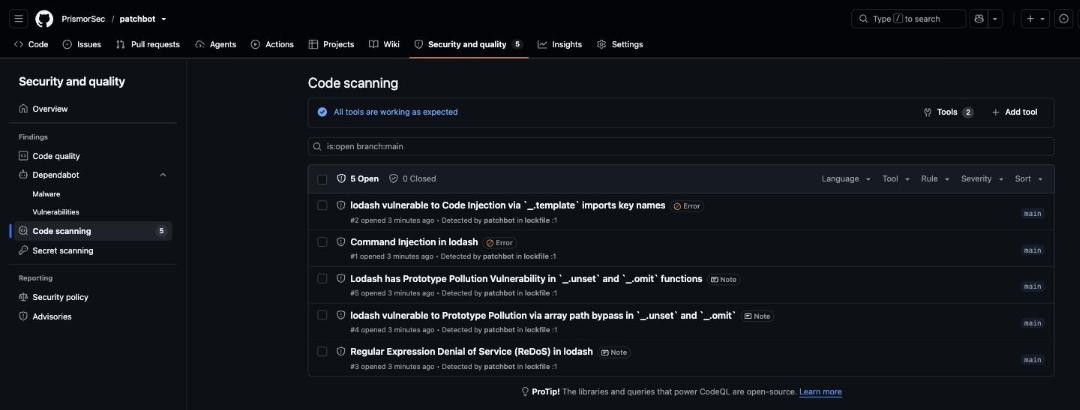
Add auto-fix with the managed backend - no Node, and no agent on the runner:
permissions:
  contents: write
  pull-requests: write
steps:
  - uses: actions/checkout@v4
  - uses: PrismorSec/patchbot@v0
    with:
      fix: "true"
      agent: managed
      managed-agent-id: ${{ secrets.PATCHBOT_AGENT_ID }}
      managed-environment-id: ${{ secrets.PATCHBOT_ENVIRONMENT_ID }}
      managed-vault-id: ${{ secrets.PATCHBOT_VAULT_ID }}
    env:
      ANTHROPIC_API_KEY: ${{ secrets.ANTHROPIC_API_KEY }}
      GITHUB_TOKEN: ${{ secrets.GITHUB_TOKEN }}
Each fix lands as its own pull request, with the advisories it clears and which tier fixed it:
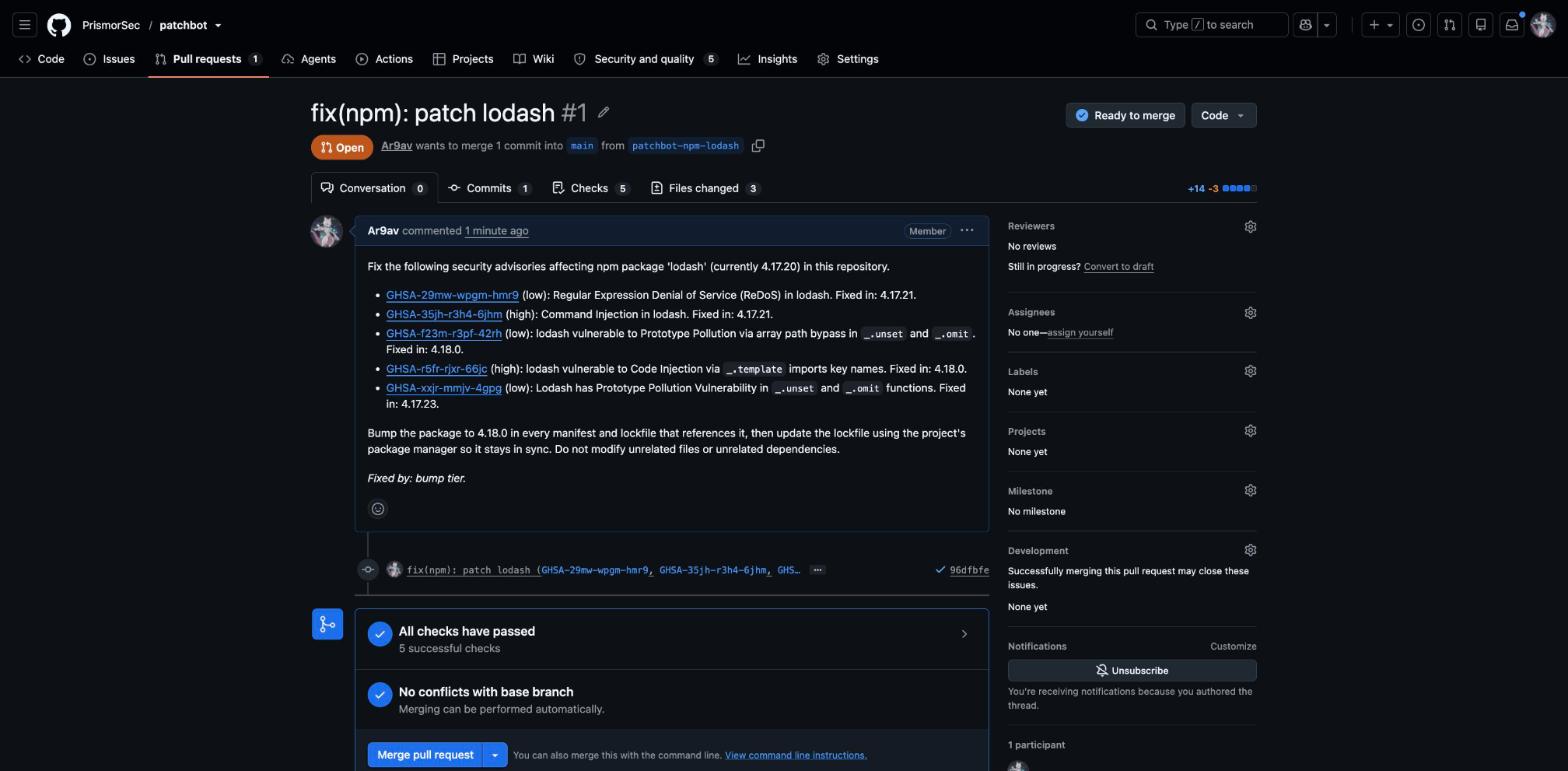
For a weekly run against a private feed, put the cron on the workflow and point the action at your config with config: patchbot.toml. The repository's action.yml documents every input.
Run it on a schedule, without CI 


patchbot managed deploy creates a cron-scheduled Managed Agents session that clones your repositories, scans, fixes and opens pull requests. Nothing in it depends on GitHub Actions, so it works for GitLab and Bitbucket repositories too.
patchbot managed deploy \
  --repos owner/api,owner/web \
  --cron "0 6 * * *" --tz UTC \
  --agent-id agent_... --environment-id env_... --vault-id vlt_... \
  --run-now                       # fire one session now to test
Manage it with patchbot managed list | pause | unpause. Scheduled runs are jittered by up to nine minutes, and 1-3 AM local times can skip or double-fire across DST changes, so schedule outside that window or use UTC.
Frequently asked questions
Why did a fix report failed?
Patchbot prints the reason: the advisory still reproduces after the bump or the agent run, test_cmd failed (with the log tail), or the change touched files outside the dependency surface. It discards the branch and commits nothing.
How do I suppress one advisory?
Add its ID to [report] ignore in patchbot.toml, for example ignore = ["GHSA-..."].
Do I need Node in CI?
Only for the claude or codex agent backends. The api, openai and managed backends need Python alone.
Which ecosystems include transitive dependencies?
npm, pnpm and yarn, through their lockfiles. For Python, Go and Rust, set [inventory] sbom to a CycloneDX file to scan the full resolved tree.